From scattered scripts to structured automation workflows
Manage, share, and compare Dynamo scripts with built-in version control and visual diff - designed for real-world BIM workflows across teams and projects
Or use it directly inside Dynamo → Download Extension
Search, publish, version, and compare scripts - directly in one ecosystem
Everything you need to manage automation workflows
From discovering scripts to tracking changes - all in one place
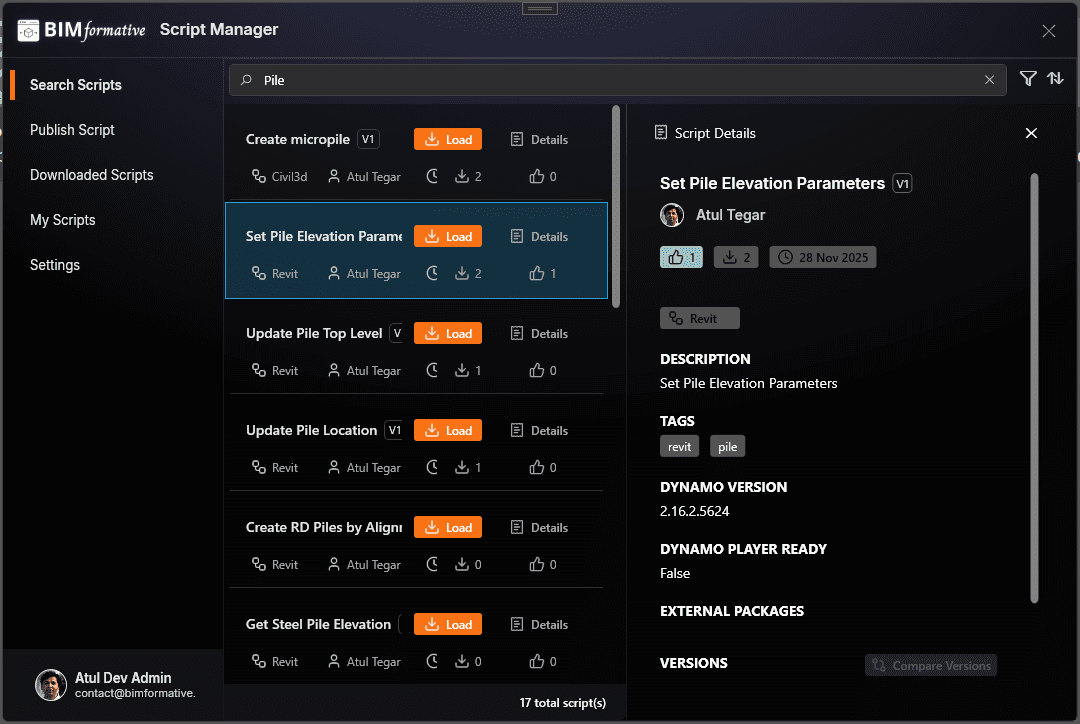
Search & Load Scripts
Browse and load Dynamo scripts directly without leaving your workflow
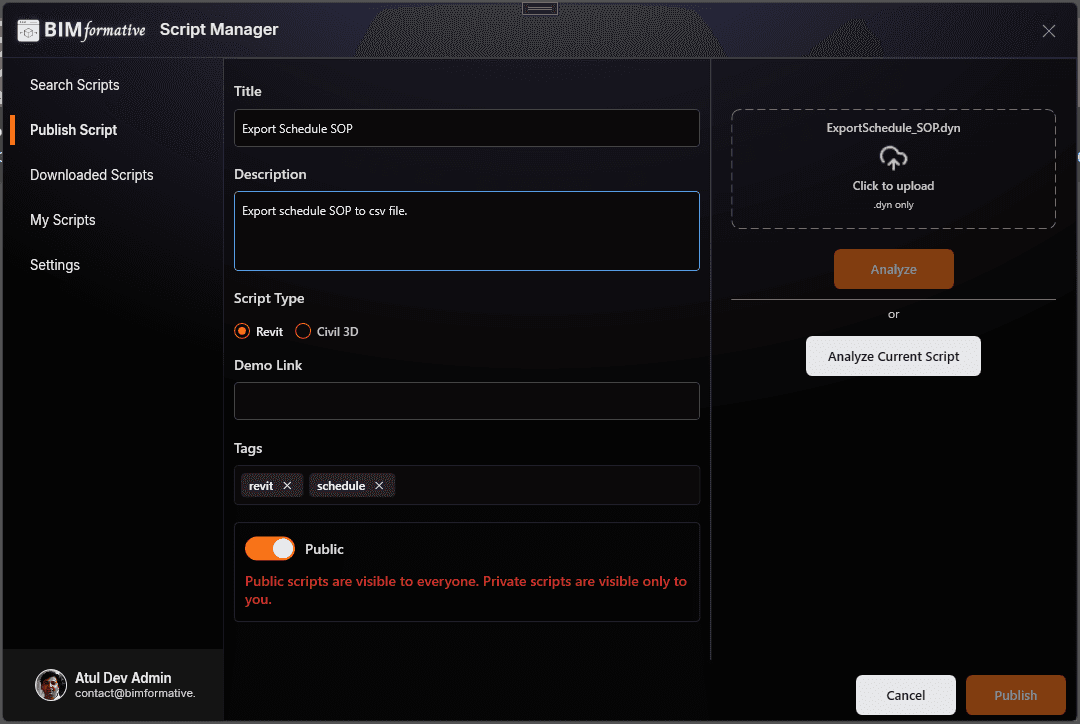
Publish & Share
Upload and share scripts with your team or the wider BIM community
Version Control
Track script changes over time and manage multiple versions with ease
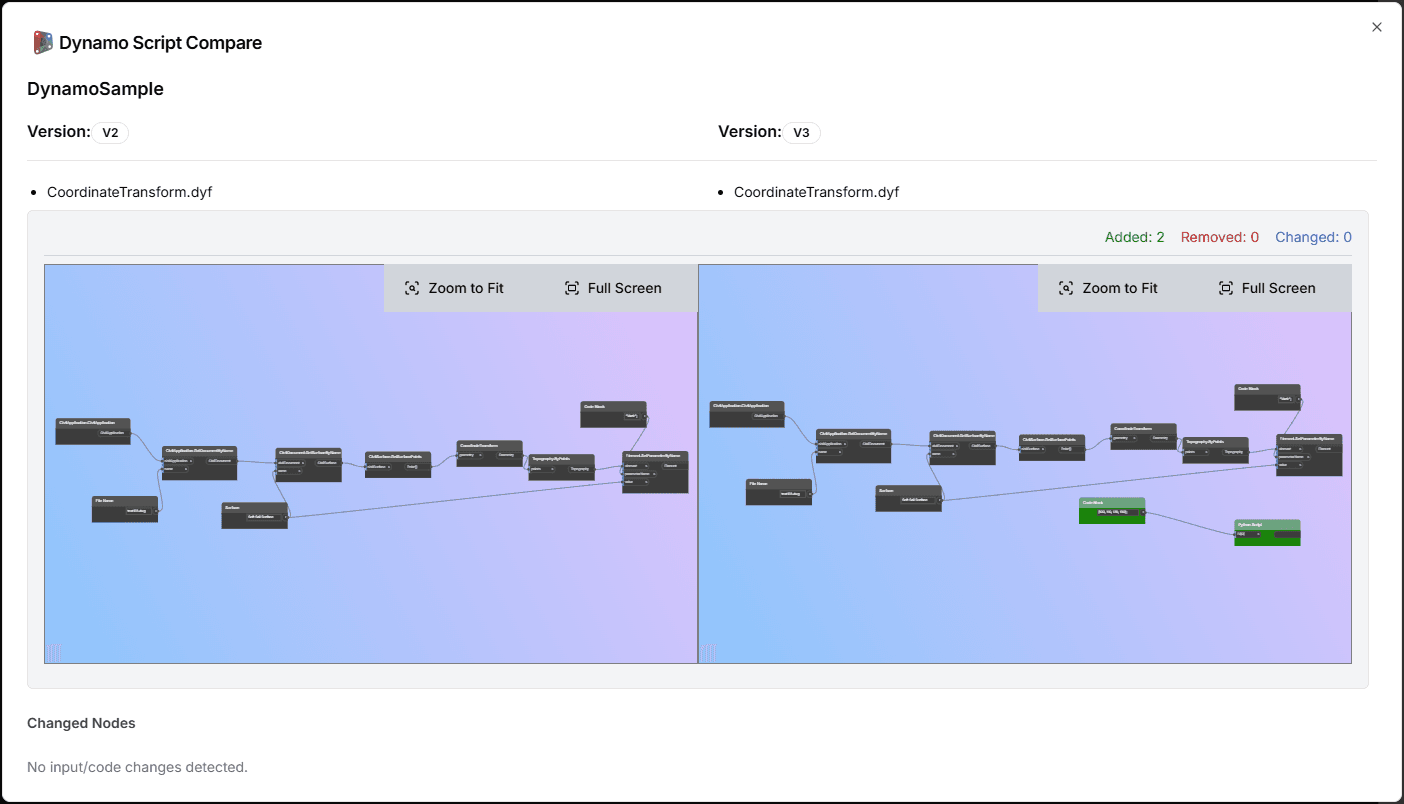
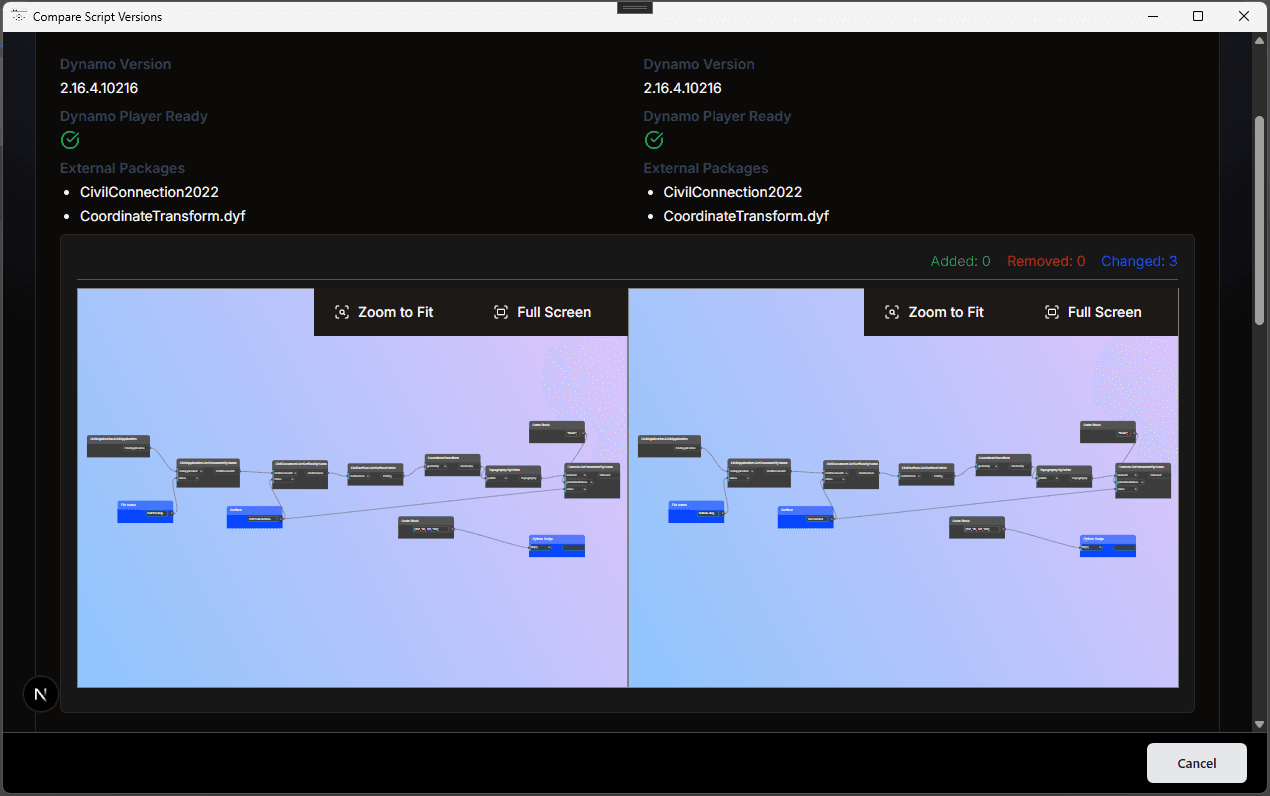
Visual Comparison
See exactly what changed between versions, including node and Python code updates
How it works
A structured workflow for publishing, versioning, and comparing Dynamo scripts
Publish your script
Upload Dynamo scripts with metadata, visibility settings, and version details
Track versions over time
Manage updates, preserve script history, and maintain a reliable source of truth
Compare changes visually
Review node-level and Python script changes side by side to understand what changed
Built for real BIM workflows
From script discovery to version comparison, BIMformative is designed around how teams actually work with Dynamo
Browse and load scripts inside Dynamo
Search and access scripts directly from Dynamo for Revit and Civil 3D, withoutswitching tools, folders, or disconnected libraries
Understand changes before you run them
Compare script versions visually, including changed nodes, updated values, and Python code differences side by side for safer automation updates
Publish, version, and manage scripts in one place
Upload scripts, maintain version history, and manage your own automation workflows through a structured publishing flow built for real BIM teams
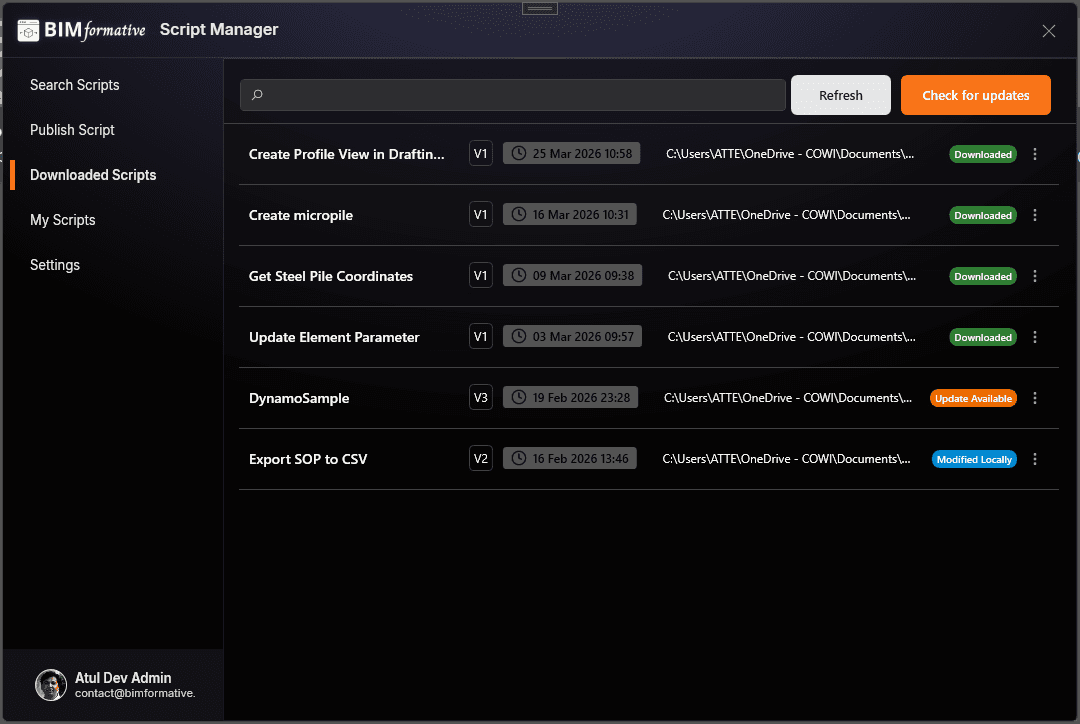
Manage downloaded and local scripts
Keep track of your local script library, manage downloaded scripts, and maintain a cleaner automation workflow inside Dynamo
Built for the people shaping automation workflows
Whether you are building scripts, managing teams, or scaling automation across projects, BIMformative is designed to support real usage
For BIM teams
Standardized shared automation workflows, reduce script duplication, and make updates easier to review across projects
- Keep shared scripts organized
- Reduce confusion across team members
- Review updates before using new versions
For script developers
Publish reusable scripts, maintain version history, and compare changes without relying on scattered folders or manual tracking
- Share scripts with structure
- Track node and Python changes
- Manage versions with more confidence
For digital leads and organizations
Create a more reliable automation ecosystem with reusable scripts, internal standards, and clearer ownership of automation workflows
- Build internal script libraries
- Support automation governance
- Improve visibility across workflows
Start building structured automation workflows
Discover reusable Dynamo scripts, publish your own workflows, and bring version control into your BIM automation process
Built for Dynamo and visual scripting workflows